We’ve added a column in the WordPress backend listing of programs that shows the permalink (URL) for each. We did this to make it easy to see which program duplicate is the latest, so you can begin with that one as you create additional duplicates going forward.
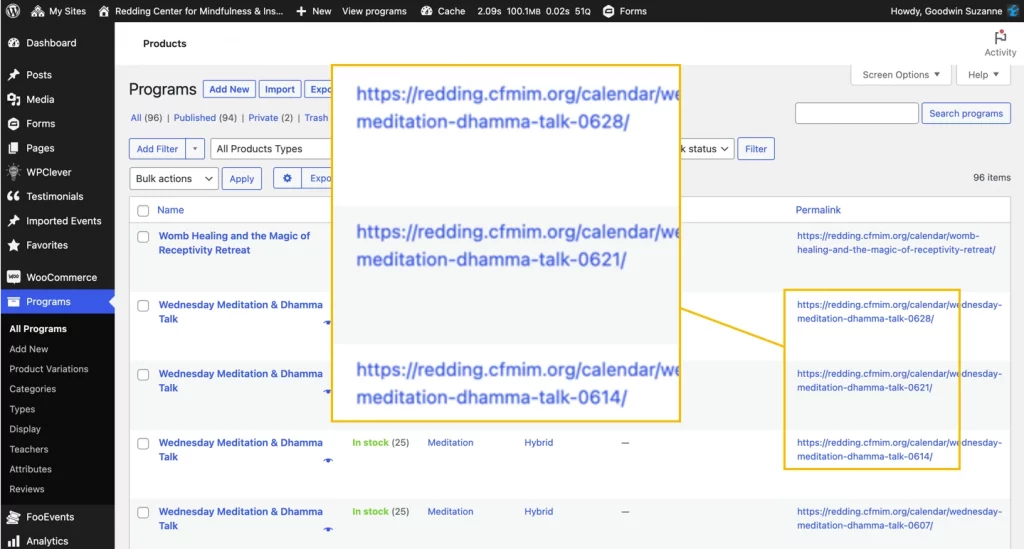
To duplicate a program:
- Find the latest-occurring copy in the list of programs and duplicate that one
- Edit the new duplicate’s date, title, and permalink.
- Check that the attributes are all in place. We’re checking everything, but all attributes should be OK and not need editing.
- It’s the same with variations, but check them, then update the new program.
- That’s it!